Explain the work in the application where it already happens.
A screen share can lose the detail that matters, and a spoken explanation can disappear once the meeting ends. LiveCanvas adds tools alongside the work already open on the desktop.
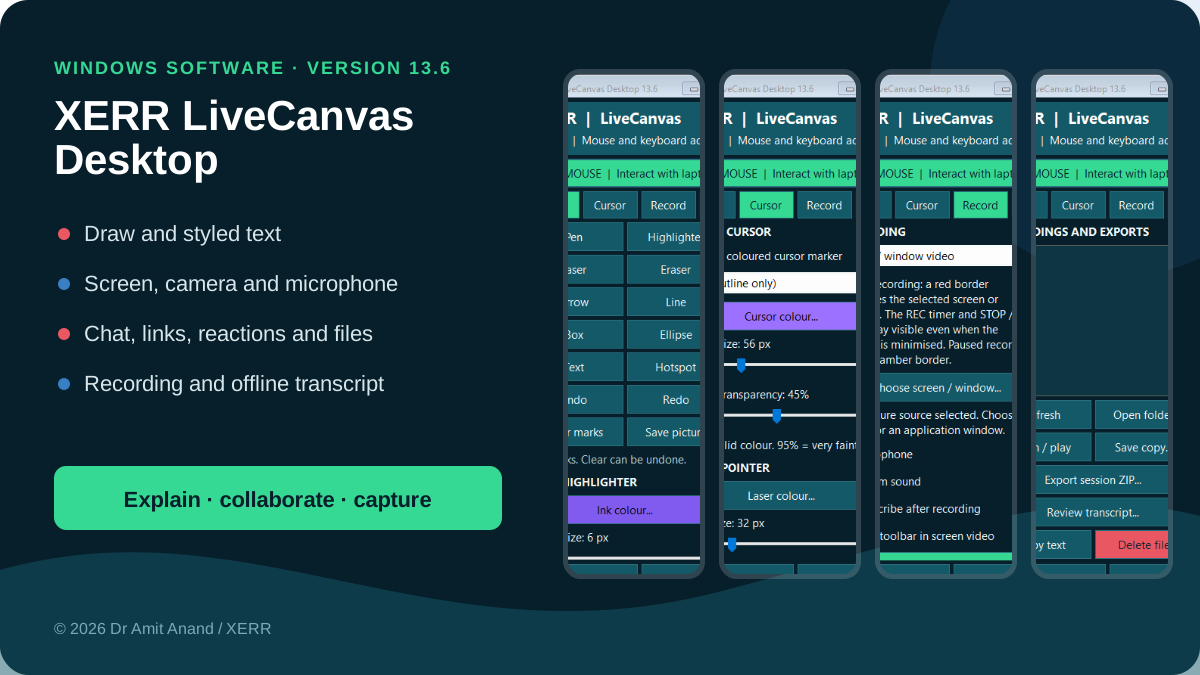
Actual version 13.6 Windows controls. The desktop application is separate from its website preview. Enlarge screenshot ↗
01
Make the important point visible
Use the cursor, pen, arrow and other annotations without rebuilding the document in a browser.
02
Capture the explanation
Choose the screen or application window and use the visible recording controls. Check microphone and webcam permissions when needed.
03
Reuse the words and next steps
Review the offline English transcript and timestamped notes, then export the material for your own reporting workflow.
Check the practical fit
Which laptop does it need?
Version 13.6 targets Windows 10 or 11 on x64. Check the exact client laptop, display setup and required devices.
Will a company laptop allow it?
The installer is unsigned and may be blocked by corporate policy or Windows protections. Obtain IT approval. Do not disable security controls.
Where is the work saved?
Recordings and annotations are kept locally by the installed application. Use its Files and export controls to retain your own copies.
Does it need a browser or live internet?
The core drawing, recording and English transcription tools run on the Windows desktop, and transcription is offline. The secure collaboration room requires internet access and a modern HTTPS browser.
What are the recording limits?
Device permissions, protected content and secure Windows screens can restrict capture. Get permission before recording people or confidential information. Automatic transcripts need review.
Does screen sharing give remote control?
No. Participants can share their own screen in the XERR room, but nobody receives remote keyboard or mouse control of another person’s device.